Customization
How to add your custom handle
To add a custom handle, follow these steps:
Place your handle at the world origin (0,0,0).
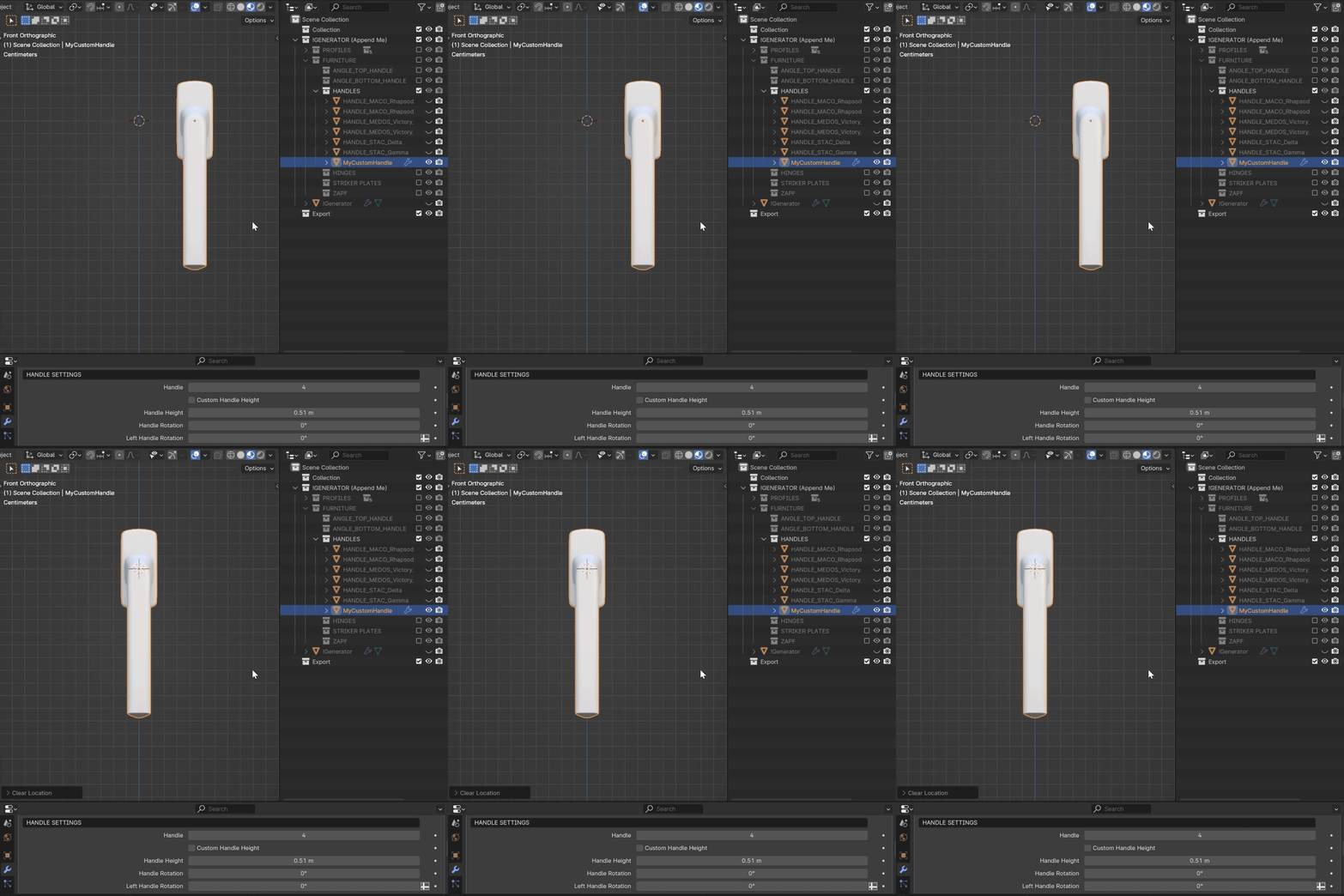
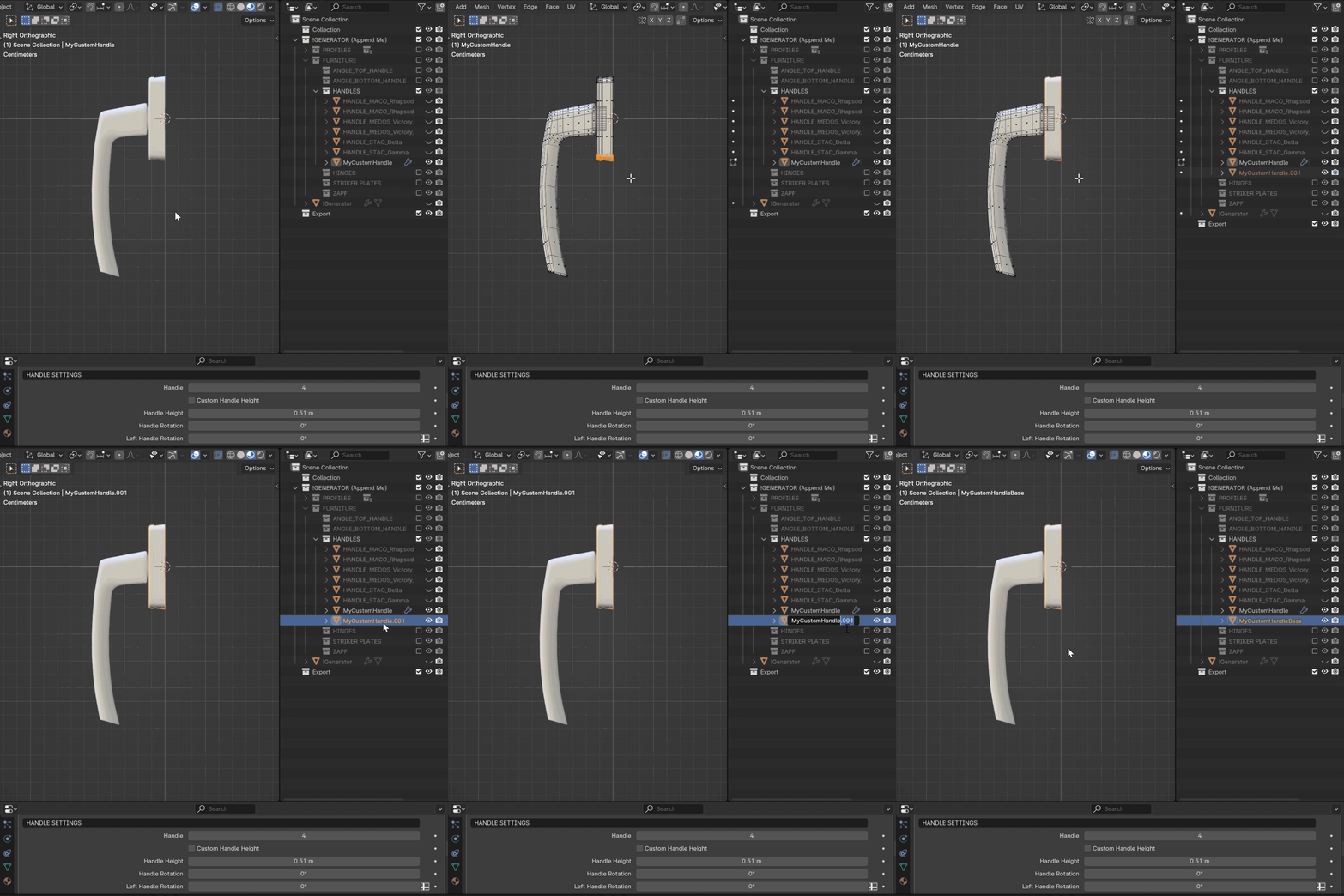
Navigate to the Right orthographic view (press 3 on your Numpad or press ~ on your keyboard and choose Right).
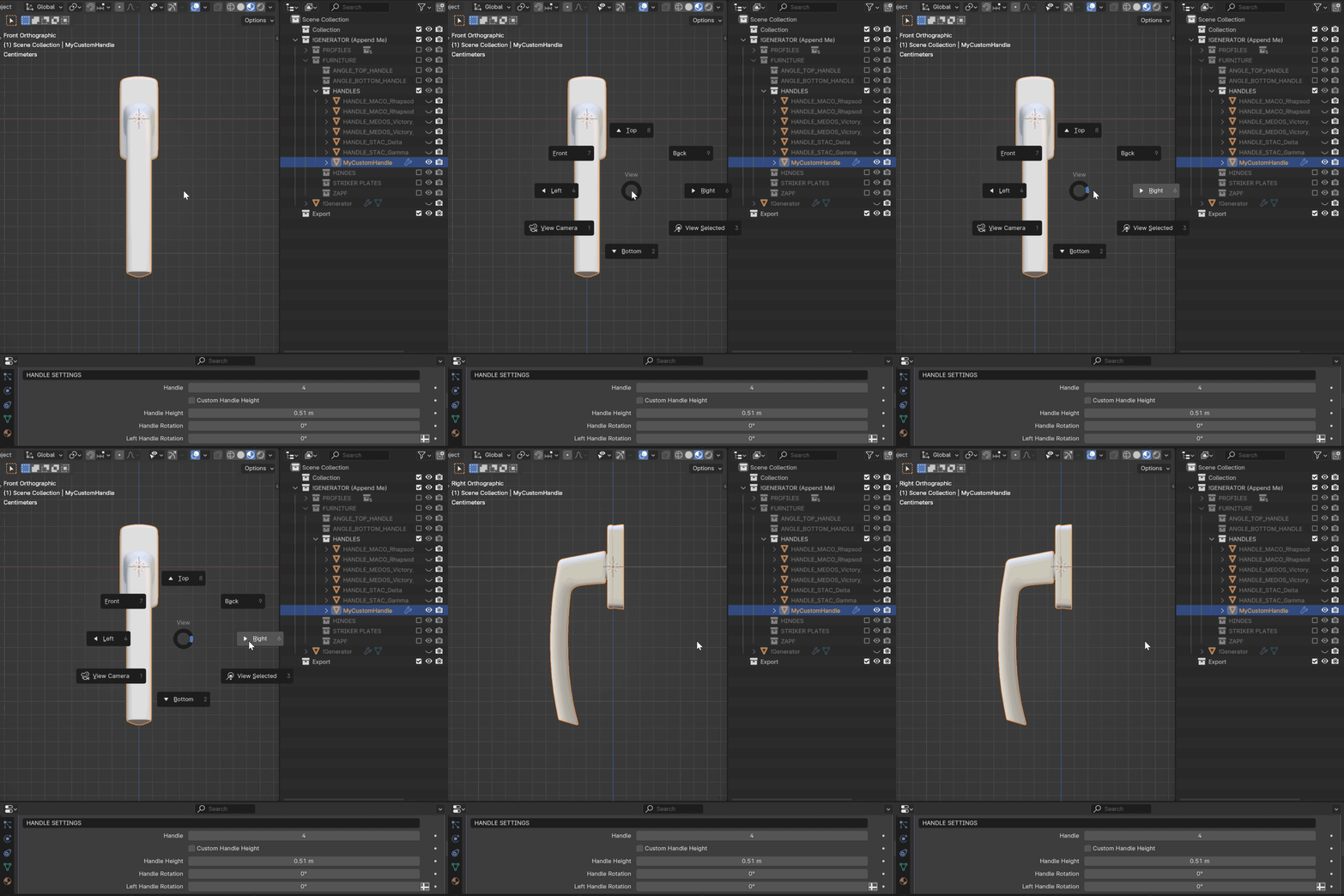
Important
Ensure your handle is oriented the same way as in the example provided. Press Ctrl+A to apply Scale and Rotation.
The origin of your handle must be at the beginning of the backplate geometry. The rotation center of the handle should be appropriately set to prevent clipping issues and ensure correct rotation.
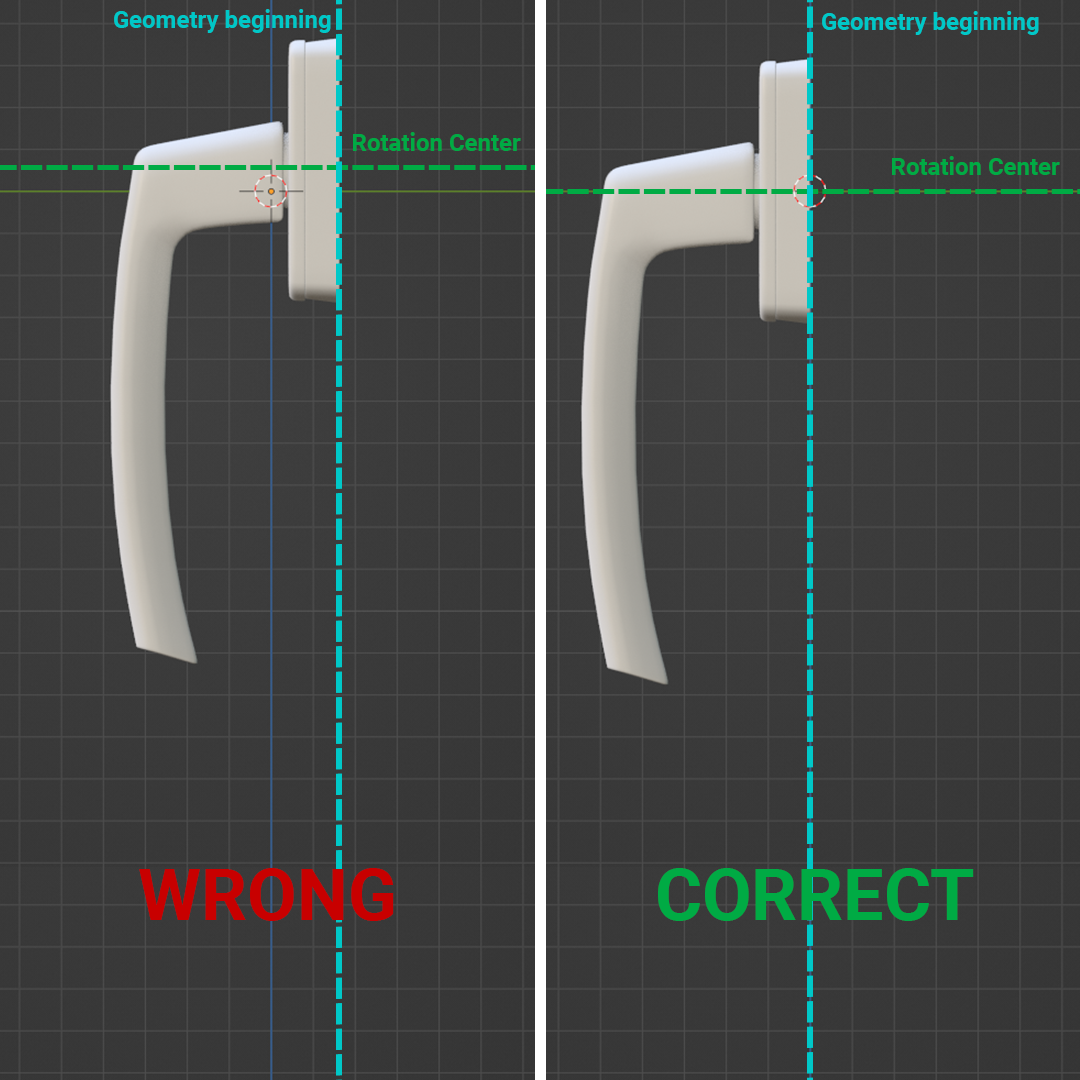
If your handle and its backplate are joined into a single geometry, separate them to allow independent rotation of the lever while ensuring the backplate remains attached to the sash.
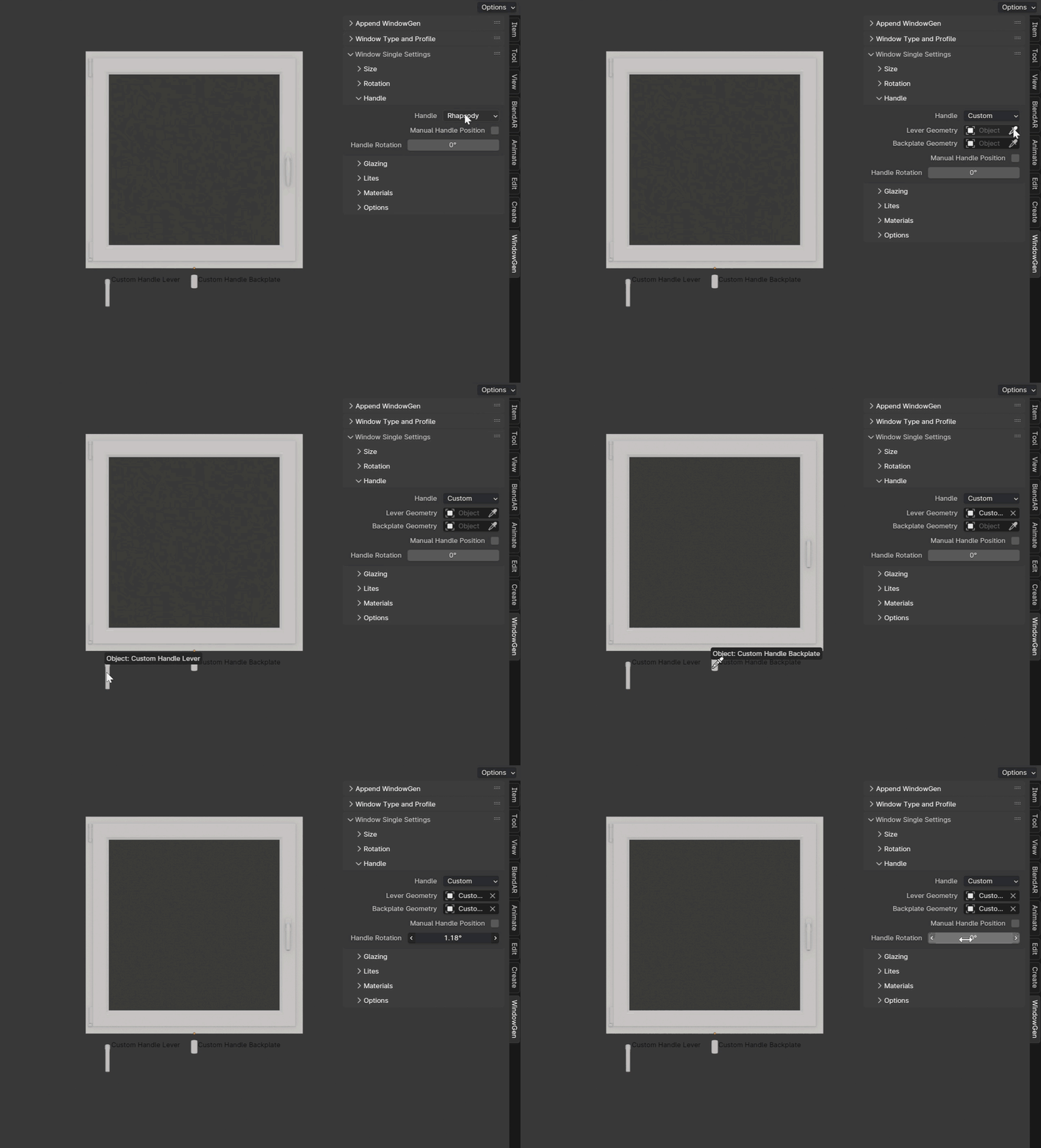
Select “Custom” in the Handle Parameters dropdown. Assign your Lever and Backplate geometry to the corresponding sockets.